
OpenAI's ChatGPT for Teachers is a secure, self-serve workspace built for K–12 educators, but the vendor's eligibility statements currently target verified U.S. K–12 teachers. Australian schools are not covered by those terms. That is the honest starting point, and it matters before you spend time on a sign-up flow that may not apply to you.
That does not mean Australian teachers are stuck. A standard ChatGPT account, used with strict privacy safeguards and school leadership approval, gives you most of the practical functionality right now. Here is what you need to know before you start:
- Availability: The ChatGPT for K–12 teachers product page lists a free trial period for verified U.S. K–12 educators. Australian schools are not named in that eligibility.
- Your immediate next step: Talk to your school's IT coordinator or privacy officer before using any AI tool with student-related content.
- Key authorities to consult: OpenAI's product statements, the Office of the Australian Information Commissioner (OAIC) and the Australian Privacy Principles, and your school or district IT policy.
- A practical resource hub: Think Smarter AI offers beginner guides, classroom activities, and privacy-aware prompts designed for educators who want to start responsibly.
Table of Contents
- How can Australian teachers get started with ChatGPT safely?
- What do Australian teachers need to know about data privacy?
- What features can teachers use, and what prompts actually work?
- How does an education workspace differ from a standard ChatGPT account?
- How do you teach with AI responsibly and keep students thinking?
- Key takeaways
- AI in the classroom: keeping the human in the loop
- Think Smarter AI supports Australian teachers starting with AI
- Useful sources and further reading
How can Australian teachers get started with ChatGPT safely?
Getting started is less about the technology and more about the approvals. Follow these steps in order.
- Review your school's AI or technology use policy. Many Australian schools and state education departments have published or are developing AI use guidelines. Check with your principal or IT coordinator before proceeding.
- Identify what data will and will not enter the tool. Decide upfront that no student names, ID numbers, health information, or other identifying details will appear in any prompt. This is non-negotiable under the Australian Privacy Principles.
- Notify parents or guardians where required. If you plan to use AI-generated materials in student-facing work, check whether your school's privacy policy or state guidelines require parental notification. When in doubt, notify.
- Set up your account with strong security. Use a professional email address, enable two-factor authentication, and review OpenAI's data settings before your first session.
- Create a prompt persona for your classroom context. Before writing lesson prompts, write a short system-level description of your teaching context: year level, subject, curriculum framework (for example, the Australian Curriculum), and any relevant student needs. Paste this at the start of each session to anchor every output.
- Run a small, low-stakes pilot. Choose one planning task, such as drafting a rubric or generating discussion questions for a unit you already know well. Review the output critically, edit it, and note what you changed and why.
- Document your decisions. Keep a brief log of which prompts you used, what you changed, and why. This protects you professionally and builds a reusable prompt library over time.
Pro Tip: Batch your prompting. Set aside 30 minutes once a week to run all your planning prompts in one session, edit them in a single pass, and save the successful ones. This keeps AI use contained and reviewable rather than scattered across the week.
What do Australian teachers need to know about data privacy?
Privacy is where most teachers underestimate the risk, and where the gap between a vendor's marketing language and your legal obligations is widest.
OpenAI states that teacher workspace data is not used to train models by default, but that claim applies to the specific workspace product and its current terms. Terms change. Before relying on any vendor privacy statement in a school context, confirm it in writing with your school's privacy officer and check whether it aligns with the Australian Privacy Principles (APPs) administered by the OAIC.
The core rule for Australian schools: The Australian Privacy Principles require that personal information about students is collected only for a lawful purpose, stored securely, and not disclosed to third parties without consent. Pasting a student's name, disability status, or behavioural notes into a commercial AI tool almost certainly constitutes a disclosure. Anonymise everything before it enters a prompt.
The practical classroom rules are short and firm:
- Never include student names, ID numbers, medical or behavioural information in any prompt.
- Use anonymised, aggregated examples: "a Year 8 student who struggles with inferencing" rather than any identifying detail.
- Treat every AI output as a draft that requires human review before it reaches a student or parent.
- Keep a short audit trail for any AI output used in assessment or student-facing materials.
- Involve your school's privacy officer or leadership in any decision to use AI at a class or school-wide level.
Pro Tip: Before your first session, go to your ChatGPT account settings and review the data controls. Turn off any settings that allow your conversations to be used for model improvement, and confirm the setting has saved. Screenshot it for your records.
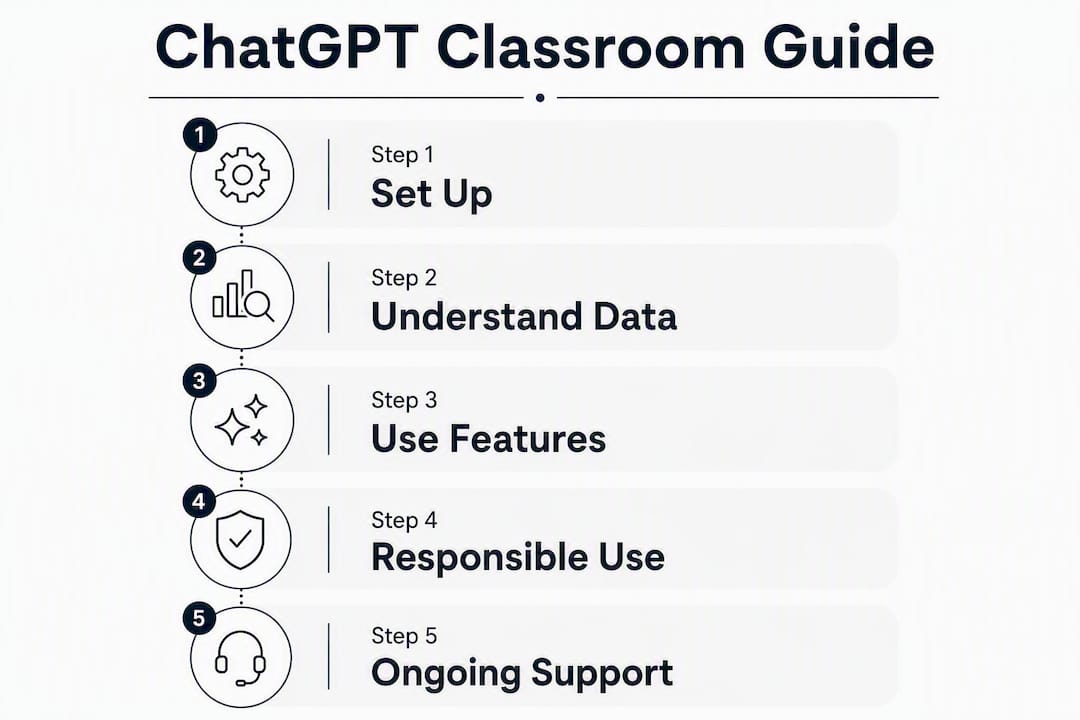
What features can teachers use, and what prompts actually work?
What a teacher workspace typically includes
A dedicated education workspace, where available, generally offers features that a standard account does not. These include role-based access controls so a school administrator can manage which staff have access, single sign-on (SSO) via a school domain, shared prompt libraries, and admin analytics. OpenAI's product documentation lists SSO, role-based access control (RBAC), domain claiming, and analytics as features for school deployments.

For Australian teachers using a standard account in the interim, the practical features are still substantial: custom instructions (your prompt persona), conversation history, file uploads for document analysis, and the ability to save and reuse prompts manually.
Where ChatGPT saves teachers the most time
Prompt libraries, rubric generators, and differentiation scaffolds are the most common time-saving applications. The key is specificity. A vague prompt produces a generic output. A prompt that includes year level, subject, curriculum strand, available time, and student context produces something you can actually use with minimal editing.
The prompt formula that consistently raises output quality is:
Role + Context + Task + Constraints + Format
Example: "You are an experienced Year 5 primary teacher in Australia. My class is studying persuasive writing as part of the Australian Curriculum English strand. Write a 45-minute lesson plan that includes a hook activity, modelled writing, and an independent task. Avoid any external resources I would need to purchase."
Sample prompts across year levels and tasks
| Task | Sample prompt |
|---|---|
| Early years (Foundation–Year 2) phonics warm-up | "Create five short oral blending activities for Foundation students learning CVC words. Keep each activity under three minutes." |
| Primary (Year 4) maths differentiation | "Write three versions of the same multiplication word problem at different difficulty levels for a Year 4 class: below, at, and above year level." |
| Secondary science formative questions | "Generate formative questions on the Australian Curriculum science topic of chemical reactions, including some higher-order thinking questions." |
| Rubric generation | "Write a four-level rubric for a Year 7 persuasive essay aligned to the Australian Curriculum achievement standards for English." |
| Parent communication | "Draft a brief, professional email to parents explaining that our class will be starting a unit on digital citizenship next week. Warm but concise." |
| Admin: meeting agenda | "Create a 45-minute staff meeting agenda focused on introducing a new assessment policy. Include time for questions." |
| Lesson scaffold (senior History) | "Outline a structured inquiry scaffold for a senior Modern History source analysis task on primary sources from World War I." |
| Professional reflection prompt | "Give me five reflective questions I can use after a lesson to evaluate whether my learning intentions were met." |
Always treat these outputs as first drafts. Experienced educators edit for accuracy, tone, and local context before any output reaches students.
How does an education workspace differ from a standard ChatGPT account?
The differences matter most when you are making a case to your IT team or school leadership about which account type to pursue.
| Feature | Standard ChatGPT account | Education workspace |
|---|---|---|
| Admin controls | None | Role-based access, domain claiming, user management |
| SSO | Not available | Available (school domain) |
| Data-use assurances | Default settings apply; user-controlled | Vendor claims workspace data not used for training by default |
| Shared prompt libraries | Manual only (copy/paste) | Built-in shared workspace |
| Teacher onboarding resources | General help centre | Education-specific documentation |
| Analytics | Not available | Usage analytics for administrators |
| Cost (U.S. verified educators) | Paid tiers or free tier with limits | Free for a time-limited period (U.S. only per current eligibility) |
For an individual teacher running a personal pilot, a standard account with strong privacy settings is a reasonable starting point. For school-wide deployment, the admin controls and SSO in an education workspace are worth pursuing, and your IT team should request written confirmation of data-use terms before any rollout.
Key things to verify in writing before committing to any workspace:
- Whether conversation data is used to train models, and under what conditions.
- Where data is stored and whether that storage location complies with Australian data sovereignty expectations.
- What happens to your data if you cancel or the product changes its terms.
- Whether the vendor will sign a data processing agreement with your school or district.
How do you teach with AI responsibly and keep students thinking?
The Harvard Kennedy School's guidance on teaching with ChatGPT makes the point plainly: AI should enhance learning experiences, not replace the teacher's instructional role. That principle has direct classroom implications.
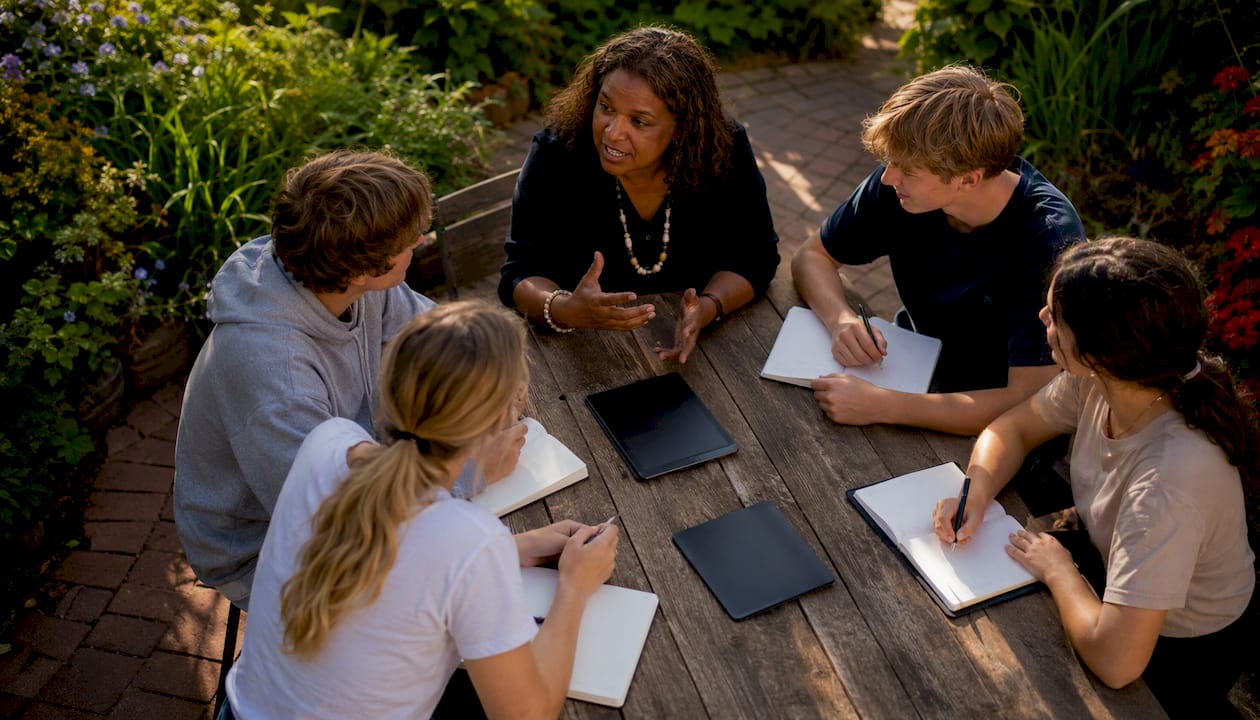
Pedagogical principles worth keeping
Design tasks where students do something with the AI output rather than just receive it. Ask them to fact-check a paragraph, rewrite a section in their own voice, or identify what the AI got wrong. This turns a potential shortcut into a genuine thinking exercise.
Teaching students to use AI is comparable to teaching internet literacy: the skill is verification and cross-referencing, not consumption. Build that habit early.
Classroom activities you can use this week
- AI Critic task: Give students an AI-generated paragraph on a topic they have studied. Ask them to annotate it: what is accurate, what is missing, what is misleading?
- Verification lab: Students use a ChatGPT output as a starting point, then find two primary sources that confirm or contradict it. They write a short reflection on what changed.
- Structured group prompt: Small groups write a prompt together, review the output as a team, and present their edits and reasoning to the class.
- Rubric co-design: Share a draft rubric generated by ChatGPT and ask students to improve it. This builds assessment literacy alongside AI literacy.
Equity and accessibility
Not every student has equal device access at home, and AI use in class can widen existing gaps if it is not managed carefully. Keep AI-assisted tasks within class time where possible, and design activities that do not require students to use AI independently outside school. For students with learning needs, AI-generated scaffolds can be genuinely useful, but always review them against the student's individual learning plan before use.
Student safety checklist
- Confirm your school's minimum age requirements for any AI tool before use with students.
- Obtain parental notification or consent where your school policy or state guidelines require it.
- Never allow students to enter personal information into a commercial AI tool.
- Supervise all in-class AI use; do not assign unsupervised AI tasks to students without clear guidelines.
- Use the Think Smarter AI Young Thinkers Roadmap for age-appropriate activities that build AI literacy without exposing students to unguided commercial tools.
Pro Tip: Before any student-facing AI activity, run the Thinking Check from Think Smarter AI. It is a short checklist that helps you confirm your activity keeps human judgement at the centre and does not inadvertently outsource the thinking to the tool.
Key takeaways
Australian teachers can use ChatGPT productively right now, but the education workspace product is currently targeted at U.S. educators, so local practice must be built on standard accounts with strong privacy safeguards, school leadership approval, and alignment to the Australian Privacy Principles.
| Point | Details |
|---|---|
| Availability is U.S.-targeted | ChatGPT for Teachers eligibility currently covers verified U.S. K–12 educators; Australian teachers should use a standard account with privacy controls. |
| Privacy comes first | Never include student-identifying information in prompts; confirm data-use terms in writing with your school's privacy officer. |
| Outputs are always first drafts | Verify every AI-generated output against curriculum sources and edit for accuracy, tone, and local context before classroom use. |
| Specificity drives quality | Prompts that include year level, subject, curriculum strand, and student context produce far more usable outputs than vague requests. |
| Think Smarter AI resources | The New to AI hub and Young Thinkers Roadmap offer classroom-ready, privacy-aware starting points for Australian educators. |
AI in the classroom: keeping the human in the loop
There is a version of this conversation that treats ChatGPT as a productivity tool and stops there. That framing misses something. The more interesting question is what happens to a student's thinking when the drafting, the questioning, and the structuring are all done by a machine before the student ever engages with the material.
The teachers who use AI well are not the ones who use it most. They are the ones who use it deliberately, with a clear sense of what they want students to do with their own minds. They treat every AI output as a prompt for their own professional judgement, not a substitute for it. They document what they changed and why. They build activities where students interrogate the output rather than accept it.
Australian schools are navigating this without a clear national framework yet. That means the responsibility sits with individual teachers and school leadership right now. The OAIC's Australian Privacy Principles are the relevant legal floor, but the pedagogical ceiling is set by you. No vendor statement, however well-worded, replaces a teacher who has thought carefully about what a task is actually asking students to do.
This article is a guide, not a policy. Any rollout in your school should involve your principal, your IT and privacy officer, and parents where appropriate. Treat it as a starting point for that conversation, not a sign-off.
Think Smarter AI supports Australian teachers starting with AI
Australian teachers do not need to wait for a U.S.-targeted product to catch up with local eligibility. Think Smarter AI offers free educational resources built around exactly the challenge you are facing: how to use AI tools responsibly, keep your own thinking central, and bring students along without cutting corners on privacy or critical thinking.
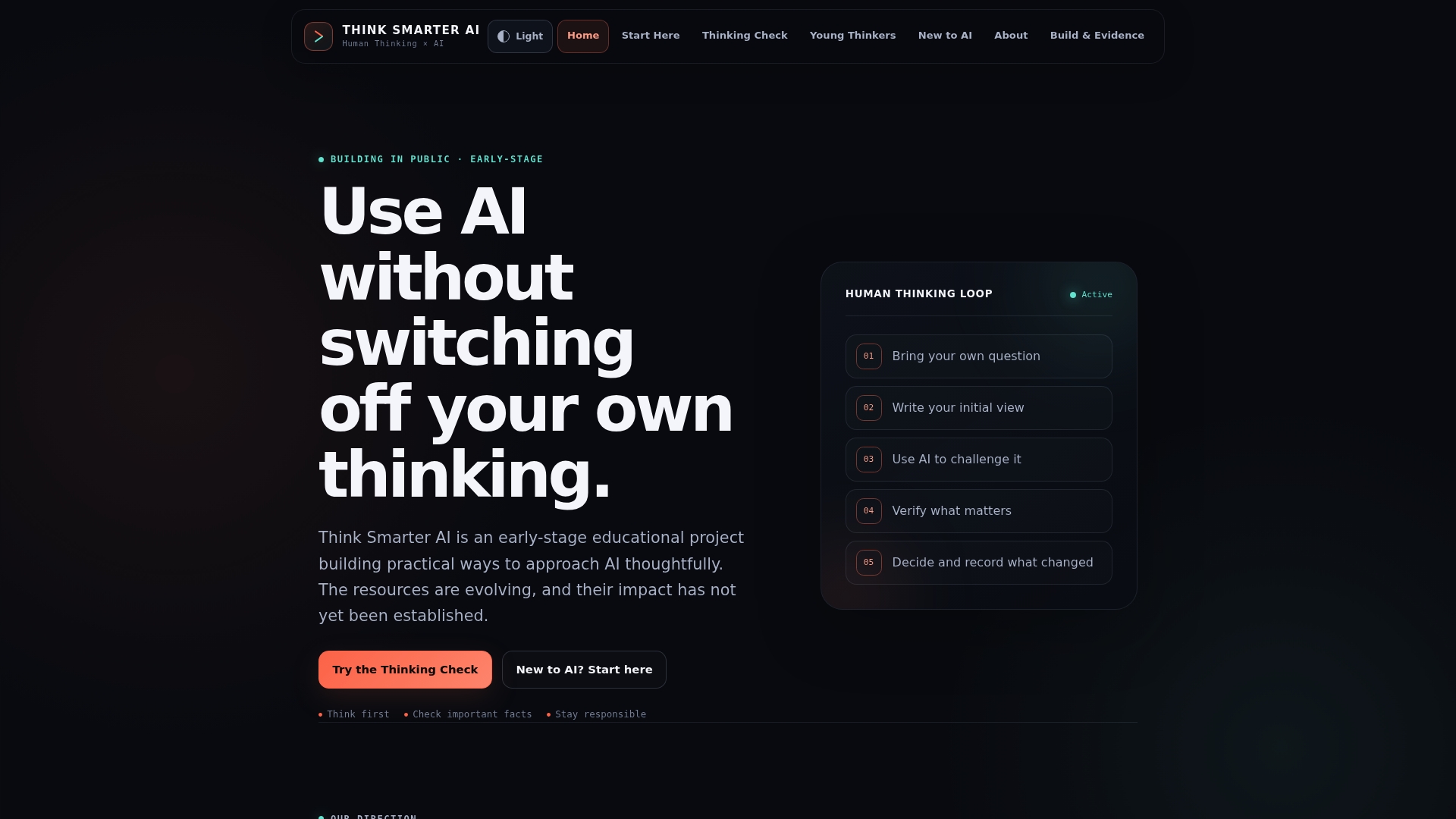
The New to AI hub is the practical starting point: beginner guides, a starter prompt library, and classroom activities designed with privacy and human oversight built in. The Young Thinkers Roadmap gives you age-appropriate activities for students that build AI literacy without exposing them to unguided commercial tools. And the Thinking Check is a short, printable checklist you can run before any AI-assisted lesson to confirm your activity keeps students thinking rather than just consuming.
Visit thinksmarterai.org/new-to-ai to access the starter resources and pick one activity to run with your class this week.
Useful sources and further reading
The sources below are the primary references behind this article. Each is worth bookmarking for your own professional records.
Official vendor and product pages
- ChatGPT for Teachers — OpenAI Help Centre: vendor eligibility statements, workspace features, and data-use terms.
- ChatGPT for K–12 teachers — product plan page: free-through period details, admin controls, SSO, and RBAC documentation.
- Teaching with AI — OpenAI guidance: OpenAI's own recommendations on verification, critical thinking, and responsible classroom use.
Practitioner guides and how-to resources
- Teaching Effectively with ChatGPT — Harvard Kennedy School: pedagogical principles for integrating AI without replacing teacher-led instruction.
Australian regulatory and privacy guidance
- Office of the Australian Information Commissioner (OAIC): the authoritative source on the Australian Privacy Principles and how they apply to schools and student data.
Think Smarter AI classroom resources
| Resource | What it offers |
|---|---|
| New to AI hub | Beginner guides, starter prompts, and safe entry points for educators |
| Young Thinkers Roadmap | Age-appropriate AI literacy activities for K–12 students |
| Thinking Check | Short checklist to verify AI outputs and maintain human oversight |
| How We Work With AI | Think Smarter AI's approach to human-centred, privacy-aware AI use |
This article is general educational information, not legal or privacy advice. Confirm your school's obligations under the Australian Privacy Principles with your privacy officer or a qualified professional before implementing any AI tool in a student-facing context.